
Planet Zoo 2 Power, Utilities, and Food Quality
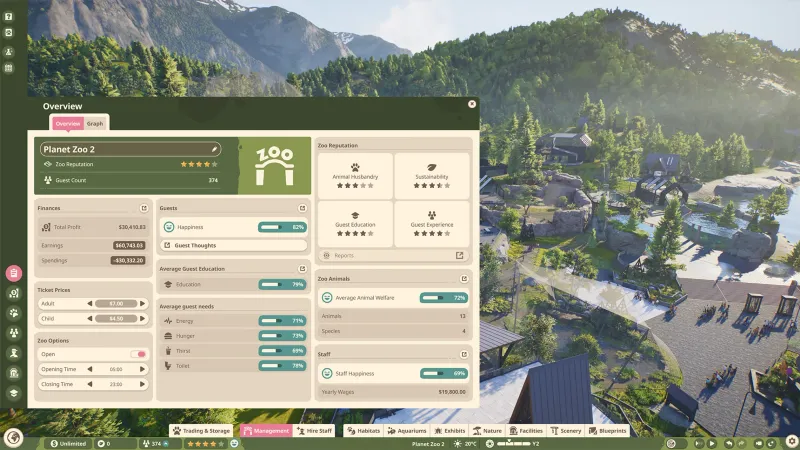
Keep power coverage visible and maintainable
To power a facility, open the Browser’s Facilities tab and place a Power Generator, Solar Panel, or Wind Turbine. Each source covers a radius; place enough to cover the buildings you need, and consider overlap so one breakdown does not cut power to an entire area.
Use the Utilities – Power heatmap to find uncovered facilities. The Zoo Management guide also lists Utilities among the available heatmaps and says a facility’s condition can be checked in its Info Panel or at Management > Facilities > Utilities. Keep each power source accessible to Mechanics: Frontier says they need to service sources regularly to maintain quality and output. If one fails, its covered radius loses power; the Building guide gives water filtration as one example of a system that can then have problems.
For a zoo-wide renewable-power objective, audit the whole map with the power heatmap and check every facility’s coverage. The official sources reviewed describe renewable sources and coverage, but do not explain a Planet Zoo 2 “reset” or achievement rule tied to that wording. If a target remains incomplete, inspect the current objective text and heatmap in that save; don’t infer the cause from an old Planet Zoo forum or Reddit answer.
Adjust animal food quality
Frontier’s Animals guide gives the menu path: Zoo Management > Animals > Food. It says higher-quality food costs more and contributes to an animal’s Thriving. That makes the setting a budget and welfare choice: check the animal’s current status, raise quality where it supports the outcome you want, and watch your finances after changing it.
The guide does not identify a universal requirement to use “Grade 2,” nor does it say that every species needs the same food setting. Search results for “Grade 2 food quality” mostly lead to Planet Zoo (2019) discussions and videos, so they are not reliable instructions for the sequel. Use the current Animals panel and species welfare information in your Planet Zoo 2 save to confirm what applies to that animal.
Frontier also advises providing suitable feeders or food enrichment, keeping a Keeper Hut within range so Keepers can replenish food, and cleaning out old food. Food quality is only one part of feeding and welfare; it does not replace access, suitable food, or regular keeper care.
Quick operating check
- Open Utilities – Power and scan for uncovered areas.
- Add or reposition sources; use Solar Panels or Wind Turbines where suitable, and consider overlapping coverage.
- Keep power facilities reachable by Mechanics and check their Info Panels or Management > Facilities > Utilities for condition.
- For food, open Zoo Management > Animals > Food, then balance cost against the animal’s Thriving and welfare information.
- Recheck the objective or animal panel after each change. For a low water grade, open the water treatment view, find uncovered areas, and place or repair a treatment facility where the panel shows it is needed.
- 01
Check facility coverage
Use the power view and ensure needed facilities are inside a source radius.
- 02
Review food quality
Use the animal management tools to check current food settings.
- 03
Recheck the result
Return to the relevant overview after changing the setup.
Related guides
Sources
- [1]Building Your Zoo — Player Guide — Frontier Developments
Official construction guide for power sources, coverage radius, renewable sources, heatmap checks, and servicing.
- [2]Zoo Management — Player Guide — Frontier Developments
Official guide to management reports, heatmaps, utilities, maintenance, and sustainability.
- [3]Animals — Player Guide — Frontier Developments
Official feeding and animal-welfare guide, including the current food-quality menu path.
- [4]Creature Feature: Managing a Zoo — Frontier Developments
Official overview of zoo infrastructure and operational systems.
Was this helpful?
Thanks for the feedback!