
Troubleshooting Paths, Animals, and Zoo Problems
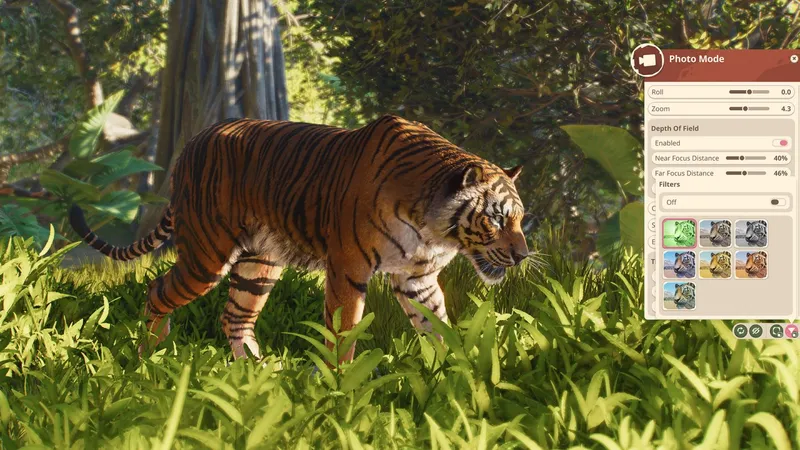
For the requested path-collision, animal-return, and inaccessible-tour-point issues, Frontier’s current support material does not confirm a specific switch or fix. Record the exact warning, platform, target the guest or animal could not reach, and the last action; use the PC and Windows steps below only for launch, crash, performance, or save errors. Send unresolved issues to Frontier with those details and a screenshot or clip.
PC will not launch, crashes, or runs poorly
Frontier’s Planet Zoo 2 PC troubleshooting guide recommends this sequence:
- Check the current PC requirements against your hardware and available storage. Frontier notes that requirements may change.
- Verify the game files in Steam. Use Steam’s “Verify integrity of game files” action before reinstalling.
- Test software conflicts one change at a time. Frontier calls out graphics drivers, Steam/Xbox/Discord/GeForce overlays, capture tools, antivirus, background programs, and in-game graphics settings. If the issue began after a driver update, Frontier says a clean reinstall or returning to a previously working driver may help.
- Retest in the same conditions and record whether the problem changes. Avoid changing several settings at once, so you can identify which change mattered.
The guide is for PC. It does not establish equivalent console steps, nor does it confirm that every generic graphics suggestion fixes a particular crash. A launch-day r/PlanetZoo discussion records individual reports of aquarium-door and reserve-release crashes. Treat them as player reports, not proof of a confirmed bug or diagnosis.
“Failure to Save” on Windows
Frontier says this Planet Zoo 2 message appears when the game cannot locate the default Windows Saved Games folder. In File Explorer, enter shell:SavedGames. If the folder is missing, Frontier’s support article provides a Restore_Saved_Games_Default_Location.bat attachment and instructions. Follow the linked article directly and review its current directions before running the file. If restoring the folder does not resolve the error, contact Frontier Support.
Path, animal-return, or inaccessible tour-point problems
The official sources reviewed for this page do not document confirmed Planet Zoo 2 fixes for turning off path collision, an animal that will not return, or an inaccessible tour point. The query terms alone do not establish that these are known defects or that a Planet Zoo 1 workaround still applies.
Use the affected in-game warning as your starting point. Note the exact text, the mode and platform, what the animal or guest was trying to reach, and the last action before it failed. Capture a screenshot or short clip, then test one reversible change and check whether the same warning remains. Do not delete a valuable habitat, demolish a large path network, or apply an unverified workaround as a first step. For a persistent issue, send Frontier Support the description, reproduction steps, supporting image or footage, and any relevant error details.
What to include in a support report
Frontier asks players to provide supporting documents, screenshots or footage, and additional details. For a repeatable issue, include the platform, mode, exact warning or error, steps that reproduce it, what you expected, what happened, and whether it has occurred before. For PC crashes, attach a DxDiag file and submit any in-game crash report when prompted. Steam players may also be asked for their Steam64ID so Support can locate submitted crash reports. In the same discussion, players also ask about hardware and component temperatures; those peer questions are context only, while Frontier’s support article specifies the documents to send.
If these steps do not fix it
Frontier’s current support guide covers PC launch, crash, and performance problems; its “Failure to Save” steps apply to Windows. It does not document a path-collision toggle or a confirmed fix for animal pathing or inaccessible tour points. For a path, animal-return, or tour-point problem, save the exact warning and steps that trigger it. Include your platform when contacting Frontier Support; do not apply a Planet Zoo workaround unless support confirms it also applies to Planet Zoo 2.
- 01
Identify the symptom
Note the exact error, when it began, and whether it affects launch or performance.
- 02
Check official guidance
Compare requirements and follow the current Frontier support steps for that issue.
- 03
Report useful details
Include your platform, hardware, recent changes, and the steps already tried.
Related guides
Sources
- [1]Planet Zoo 2 official product listing — Frontier Developments / Steam
Current product, feature, edition, release, and system-requirement listing captured 2026-10-15.
- [2]Launch, crashing or performance issues with Planet Zoo 2 on PC — Frontier Support
Official PC troubleshooting checklist, support submission guidance, and Planet Zoo 2 Failure to Save instructions. Captured 2026-10-15.
- [3]Between the crashes and this, I’m wondering if it’s the game or just my PC — r/PlanetZoo community
Launch-day individual crash reports and peer questions; context only, not a confirmed defect or diagnosis.
Was this helpful?
Thanks for the feedback!