
Planet Zoo 2 PC Requirements and Performance
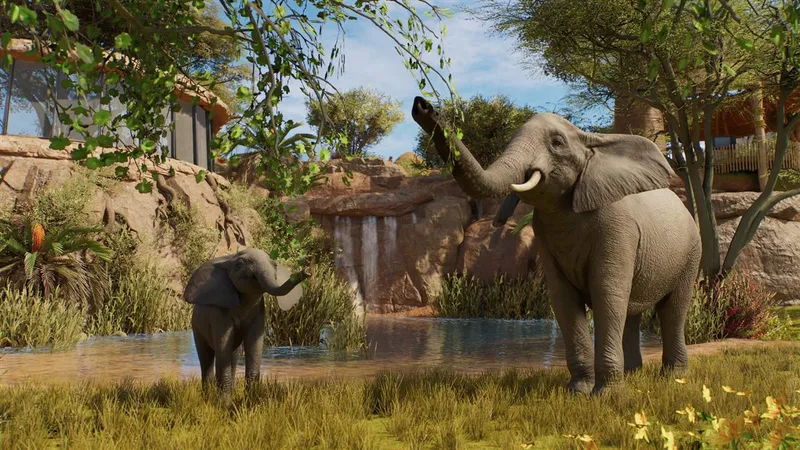
Planet Zoo 2 has published PC requirements, but meeting them is not a promise of a fixed frame rate in every zoo. Frontier says zoo size affects CPU work as the number of animals and guests grows. Use the official specifications below as a starting point, then compare your exact desktop or laptop parts with the current Steam listing.
Planet Zoo 2 PC requirements
| Component | Minimum | Recommended |
|---|---|---|
| Operating system | Windows 10 or 11, 64-bit | Windows 11, 64-bit |
| Processor | Intel Core i7-8700K or AMD Ryzen 5 3600 | Intel Core i7-10700K or AMD Ryzen 7 5800X |
| Memory | 16 GB RAM | 16 GB RAM |
| Graphics | NVIDIA GeForce RTX 2060 6 GB, AMD Radeon RX 5600 XT 6 GB, or Intel Arc A750 8 GB | NVIDIA GeForce RTX 3070 8 GB, AMD Radeon RX 6700 XT 12 GB, or Intel Arc A770 16 GB |
| DirectX | Version 12 | Version 12 |
| Storage | 40 GB available; SSD recommended | 40 GB available; SSD required |
These are the store-listed PC targets captured on October 15, 2026. Frontier notes that Windows 10 support has ended and that continued compatibility cannot be guaranteed. If you are installing on Windows 10, check the live listing and your system before buying; Windows 11 is the recommended target.
What performance does Frontier expect?
Frontier describes the minimum PC as running a well-built zoo above 30 FPS on Medium settings. Its recommended PC is listed at 30 FPS on High settings in a well-built zoo. The recommendation is not a 60 FPS target, and neither figure guarantees the same result at every resolution, patch, save, or zoo size.
The limiting part can change as a zoo grows. Frontier says more animals and guests require more processing power, while the graphics card has a smaller impact in that situation. It also says this can be noticeable when changing graphics settings does not change the frame rate. So a powerful GPU alone may not prevent slowdowns in a large, busy zoo; compare the CPU as well as the GPU when you check a PC build.
On a gaming laptop, compare the exact mobile CPU and GPU model with the listed parts. A laptop carrying a similar GPU name is not proof that it matches a desktop card. Frontier also recommends extra cooling for laptops so the CPU can run at higher speeds. Treat that as advice, not a guarantee of a particular FPS.
Can my PC run it?
Check all of these against the Steam requirements before you buy or troubleshoot:
- Confirm Windows is 64-bit and check the processor model, not only a label such as “Core i5.”
- Confirm you have at least 16 GB of memory and 40 GB of free storage.
- Compare your exact graphics card with one of the listed minimum GPUs. A Radeon RX 5700 XT, an older card, or a laptop GPU is not named in the official list, so the listing alone cannot confirm its performance.
- Check the storage note too: SSD is recommended at minimum and required for the recommended specification.
If every part meets the minimum, your PC matches Frontier’s stated minimum target; that still does not guarantee stable performance in a large zoo. If one part falls below the minimum or is not listed, the official page does not provide a reliable yes/no prediction for that exact configuration. Check the current Steam requirements and use the game’s current performance in your own save as the final check. For console, Mac, or cloud availability, see platform and store information.
Denuvo, graphics settings, and nearby searches
The captured Steam listing states that Planet Zoo 2 incorporates Denuvo Anti-tamper. That answers whether the PC Steam version lists Denuvo; the listing does not say that Denuvo changes frame rate, and this page makes no performance claim about its effect.
Steam does not list an RX 5700 XT-specific benchmark or a universal graphics preset for every PC. A title such as “i5” is also too broad to compare: check the exact processor generation and model against the minimum and recommended CPUs above. For a graphics comparison or a settings fix, use a source that tests the same PC parts, resolution, patch, and zoo workload; the official specifications do not establish a one-size-fits-all result.
The “Deluxe edition - PC requisiti” search has the same PC requirements context as the base game listing; check the selected store edition for its current package details. Searches for Planet Zoo (the original game), including free-download queries, refer to a separate product. Use the official Planet Zoo Steam listing for that game rather than applying its requirements or unofficial downloads to Planet Zoo 2.
Related guides
Sources
- [1]Planet Zoo 2 on Steam — Frontier Developments / Steam
Current PC requirements and Denuvo notice; captured 2026-10-15.
- [2]Planet Zoo 2 Help and FAQ — Frontier Developments
Official PC performance expectations, zoo-size processing note, and laptop cooling advice; captured 2026-10-15.
- [3]Planet Zoo on Steam — Frontier Developments / Steam
The original Planet Zoo is a separate product from Planet Zoo 2.
Was this helpful?
Thanks for the feedback!