
Planet Zoo 2 Aquariums, Exhibits, and Aquatic Animals
Choose between the home types
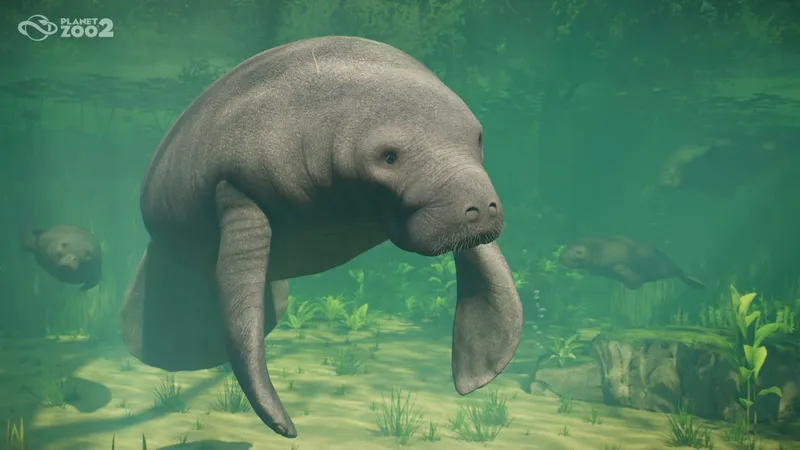
Choose a home by species: Barrier Habitat for larger terrestrial animals, Aviary for flying species, Aquarium for fully aquatic species, or Exhibit for smaller species. The official Habitats & Exhibits guide describes larger terrestrial animals in Barrier Habitats, flying species in Aviaries, fully aquatic species in Aquariums, and smaller species in standalone Exhibits. The Animals guide names Hawksbill Turtles and Indo-Pacific Leopard Sharks as fully aquatic examples; it lists snakes, frogs, and some small fish among Exhibit animals. Use the species entry in the in-game Zoopedia to confirm its home type and exact environment needs before building.
Build an Aquarium
An Aquarium is a barrier enclosure for fully aquatic animals. It is different from an Exhibit: Aquarium animals need a water environment and a filtration network, while an Exhibit is a self-contained vivarium for smaller animals. To start an Aquarium, use the Habitat Barrier tool and choose Aquarium. The official Aquariums guide gives this practical order:
- Create the tank perimeter. Choose Aquarium in the Habitat Barrier tools, draw a complete barrier loop, and add an Aquarium Staff Gate. Staff enter through the gate directly into the water, so the gate can be raised above the ground.
- Connect filtration before stocking it. New Aquariums start as freshwater. Connect the gate’s filtration node to a powered Water Filter network, then choose Freshwater, Brackish, or Saltwater to match the species in the Zoopedia.
- Set up the animals’ environment. Add the needed feeders, nests, and enrichment from the Aquarium browser tab. Use the Environment controls and terrain/scenery tools to meet the species’ requirements, including salinity, temperature, and enrichment.
- Move the animals in and assign care. Once the Aquarium is ready, transport the animals into it and assign a Keeper. Keepers clean the tank; Mechanics service the barriers.
Do not judge a tank only by its appearance. Water cleanliness and Tank Cleanliness are separate checks. Filtration must provide at least the Aquarium’s current demand; the guide says demand rises with water volume and animal count. Keepers restore tank cleanliness, while an undersized or disconnected filter network lets water cleanliness fall. If either becomes poor enough, it can raise disease risk. Low barrier condition can also lead to leaks, so repair warnings need attention even when the water looks clear.
If the animals are not thriving, open the Aquarium Info Panel and the Zoopedia entries first. Confirm the required water type, temperature, available space, and enrichment before adding more animals or replacing the filtration layout. Frontier notes that some individual aquatic animals and shoal species can share an Aquarium, but compatibility is species-specific; check the Zoopedia instead of assuming every fish or aquatic animal can live together.
Place an Exhibit and understand moving animals
For smaller animals, open the browser’s Exhibits tab. Frontier’s guide says you can place a complete Exhibit blueprint or build a custom one. Place it where guests can reach its viewing window; connect a walkthrough Exhibit directly to the path network. Then use the Exhibit Info Panel to set the environment, add or remove animals, and assign resting points. A functional Exhibit also needs power, a path connection, a Keeper, and access to a Keeper Hut.
Many Exhibit animals use resting points, but they do not all stay fixed on them. The official guide specifically says shoaling fish and butterflies can use resting points and also move freely around the Exhibit. It also says to check temperature, humidity, salinity, cleanliness, food, water, crowding, and social requirements as applicable. The Zoopedia supplies the suitable ranges and group requirements for each species.
For butterflies and shoaling fish, follow the documented behavior above: they can use resting points and move around the Exhibit. For other species, check the in-game Zoopedia and Exhibit panel for current movement and welfare requirements.
For a simpler first build, choose an available complete Exhibit blueprint and add one species shown as suitable for it. This avoids designing the whole vivarium before you know its required conditions. For an Aquarium, follow the ordered setup above and verify salinity and filter demand before transferring animals. Those are lower-friction starting points; they do not change the welfare checks the animals need.
Use the official guide and in-game Zoopedia for species behavior and welfare requirements. Use community videos only for layout inspiration, then verify the setup in your own Exhibit panel.
For a visual example, Leaf’s early-access walkthrough shows small-animal Exhibits placed for visitors to view. Use it for layout inspiration; check the official guide and Zoopedia for the current path, care, and species rules.
Did Planet Zoo 2 remove terrariums?
The current official Planet Zoo 2 guides call the small-animal vivariums Exhibits. They describe small fish, frogs, snakes, butterflies, and other Exhibit animals, but do not say that a separate feature named Terrariums was removed or renamed. So the supported answer is: look under Exhibits in the current browser and check the animal’s Zoopedia entry; the available evidence does not establish a removal history for the old term.
- 01
Choose the home type
Check whether the species uses an aquarium or an exhibit.
- 02
Prepare the space
Build and configure the selected habitat type.
- 03
Move and verify
Use the current in-game panels to move the animal and confirm its needs.
Related guides
Sources
- [1]Habitats & Exhibits - Planet Zoo 2 Guides — Frontier Developments
Official sequel guide captured 2026-10-15; habitat categories, Exhibit placement, resting points, and exhibit welfare.
- [2]Animals - Planet Zoo 2 Guides — Frontier Developments
Official sequel guide captured 2026-10-15; aquatic and exhibit animal categories, named aquatic examples, and species-specific needs.
- [3]Aquariums - Planet Zoo 2 Guides — Frontier Developments
Official sequel guide captured 2026-10-15; construction, salinity, filtration, water and tank cleanliness, temperature, and barrier maintenance.
- [4]I Made THREE DIFFERENT HABITATS in Planet Zoo 2 — Leaf
Independent early-access walkthrough used only as an illustrative example of placed small-animal exhibits and guest viewing; official guides remain the source for current mechanics and species requirements.
- [5]Checking Out All the New Animals, Career Mode & Sandbox Too! — Raptor
Independent release-day animal preview mentions butterflies and a butterfly house; included as corroboration for butterfly presence only, not resting-point or movement mechanics.
- [6]Does this mean they do move or not? — r/PlanetZoo — r/PlanetZoo community
Pre-release player discussion records uncertainty and conflicting individual reports; not definitive mechanic evidence.
Was this helpful?
Thanks for the feedback!