
Planet Zoo 2 Gameplay: Modes, Zoo Building, and Animal Care
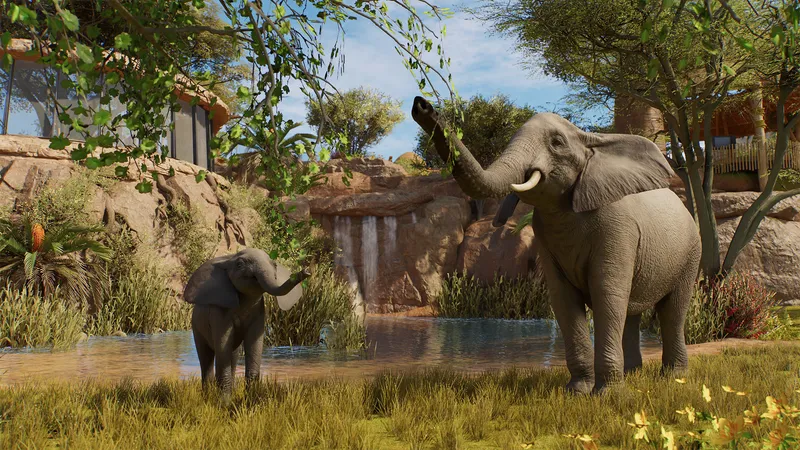
Start by choosing a mode: Career gives you guided scenarios, Franchise connects trading and challenges, and Sandbox gives you open-ended building. In any mode, build habitats, care for animals, and keep visitor facilities running. Frontier’s features overview and The Basics guide are the best starting points for the systems the game currently describes.
What you do in the game
Planet Zoo 2 is a zoo-management simulation: you build habitats, care for animals, and keep zoo operations running. Choose a mode first, then follow its goals. Frontier’s Game Modes guide describes three ways to play:
- Career provides guided scenarios and objectives. Use it when you want a more structured introduction to zoo systems.
- Franchise focuses on building and managing a zoo within the online Franchise structure. Check its current in-game objectives and availability before planning around a particular feature.
- Sandbox gives you more control over setup and simulation options, making it the flexible choice for designing without the same progression focus.
Start by checking the mode’s goal panel, placing the required facilities, and building a habitat that matches the selected species in Zoopedia. Then monitor animal welfare and visitor experience as the zoo grows. Frontier’s Building Your Zoo guide covers construction and planning; its Animals guide explains the animal-care side. Exact requirements depend on the species, habitat, and current game state, so use the in-game panels for the values that apply to your zoo.
What is new to explore?
Frontier highlights aquatic and flying animals, aquariums and aviaries, and Wildlife Reserves among Planet Zoo 2’s features. The dedicated Wildlife Reserves guide explains that distinct format; it is part of the wider game rather than a synonym for ordinary zoo construction. The Steam listing is useful for checking the current product description and available editions, while the official guides provide more practical detail.
Is there a cinematic mode?
The official materials reviewed describe Photo Mode, including an animal-photography guide. They do not confirm a separate feature called “Cinematic Mode.” If you mean taking composed animal or habitat shots, start with Photo Mode. If you mean a camera tool for recording cinematic footage, check the current in-game menus or official updates; the sources here do not establish that feature.
Can I play it now?
Frontier’s launch announcement says the game is out. For a purchase or platform decision, use the current listing for your store and region: availability, edition options, and hardware details can differ. If you were looking for a wiki, use this overview to orient yourself, then open the focused guides below for animals, building, or modes.
- 01
Choose a mode
Start with the goals and setup that fit your play style.
- 02
Build the essentials
Plan animal habitats and visitor facilities.
- 03
Review and expand
Check animal welfare and zoo operations as you grow.
Related guides
Sources
- [1]Planet Zoo 2 Features — Frontier Developments
Official feature overview.
- [2]Planet Zoo 2 Game Modes — Frontier Developments
Official overview of Career, Franchise, and Sandbox.
- [3]Planet Zoo 2: The Basics — Frontier Developments
Official getting-started guide.
- [4]Planet Zoo 2 on Steam — Frontier Developments / Steam
Product listing; current platform and feature details may change.
- [5]Animal Photography Tips for Planet Zoo 2’s Photo Mode — Frontier Developments
Official Photo Mode article; this is not described as a cinematic mode.
Was this helpful?
Thanks for the feedback!